PLIICS

Track every product that enters or leaves your facility. PLIICS combines barcode scanning, mobile documentation, and real-time inventory logs so your team can record shipments, capture proof, and maintain complete visibility from dock to delivery.

See for yourself

Overview

PLIICS is our Priority Logistics Inc. Inventory Control System designed to give you clear visibility into every item entering or leaving your facility. Simply send us a CSV of your product catalog and we will register each item in the system so it can be scanned, tracked, and logged.

Key Benefits

Quick Product Setup: Upload your product list once and instantly make every item scannable within the system.

Complete Shipment Visibility: Track inbound and outbound activity with timestamps, images, and documentation.

Mobile-First Workflow: Staff can log activity directly from their phone while on the warehouse floor.

Damage Documentation: Capture photos and notes when shipments arrive damaged or incomplete.

Secure Role Permissions: Administrators manage data while view-only users can monitor activity safely.
Step 1: Scan your Product

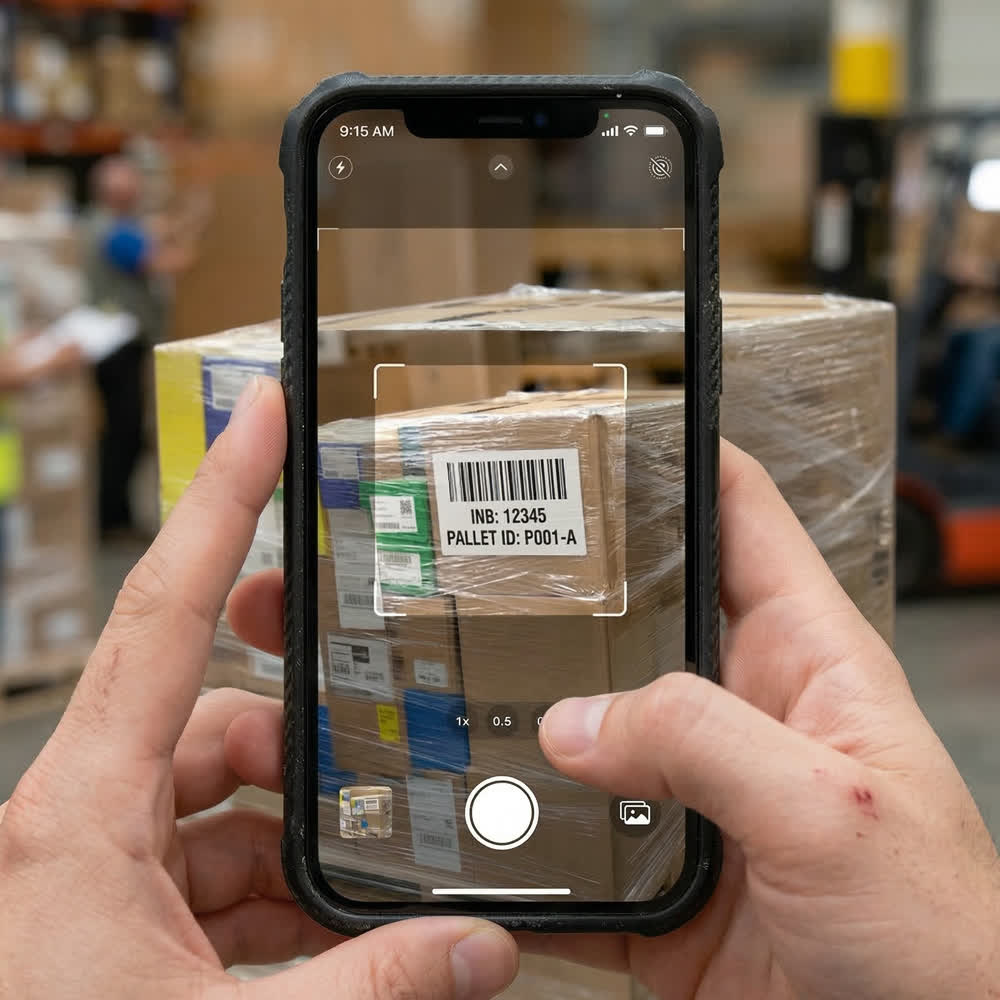
Warehouse staff begin the process by scanning a product barcode using the PLIICS mobile app. This instantly identifies the item and prepares it for shipment logging.

Fast Warehouse Workflow

Instant Barcode Scanning: Scan products in seconds using your device camera.

Identify the Item Immediately: The system instantly recognizes the product from your uploaded catalog.

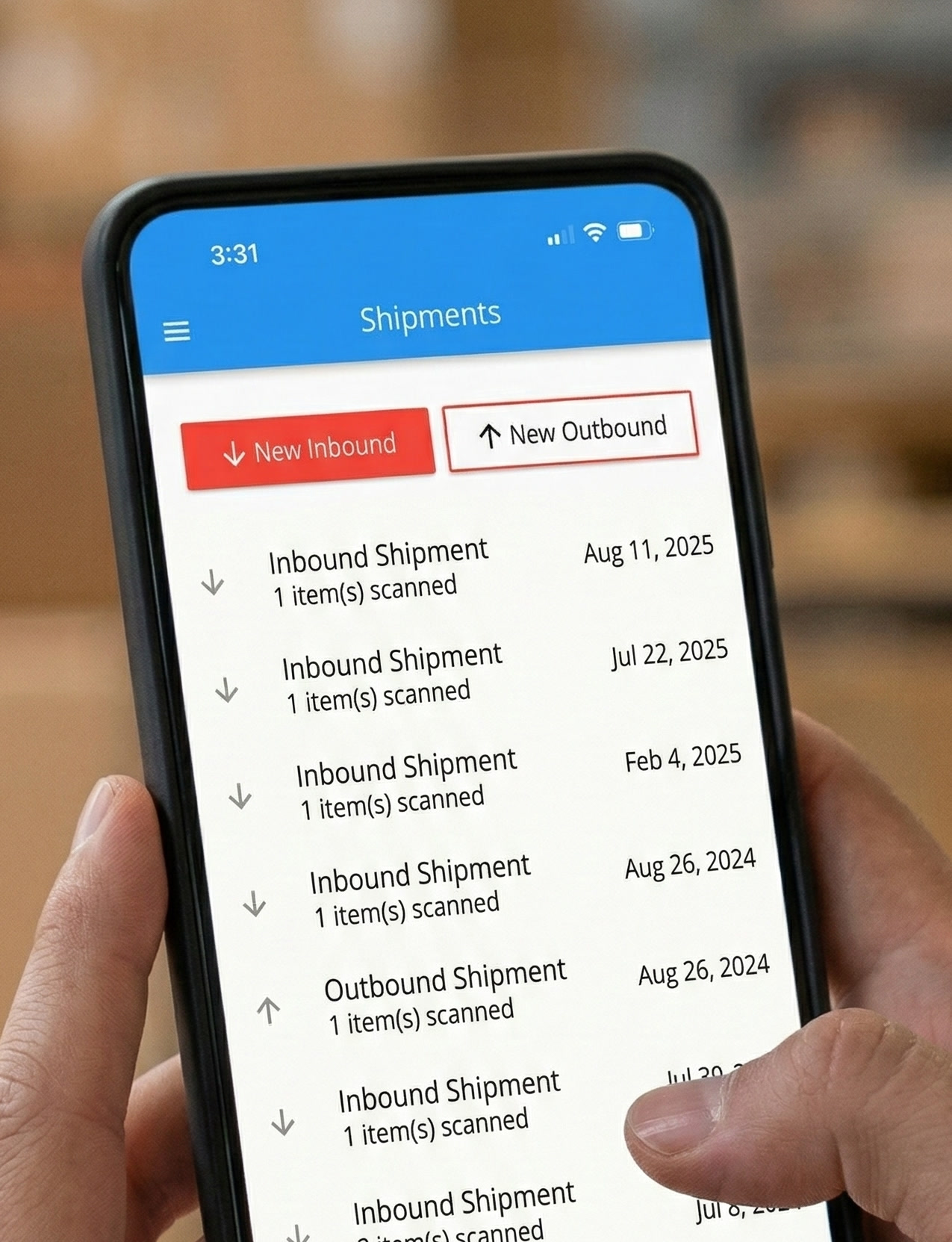
Choose Shipment Direction: Select whether the item is arriving (inbound) or leaving (outbound).

Reduced Manual Entry: Scanning minimizes typing and eliminates common entry mistakes.

Works Anywhere: Perfect for loading docks, warehouse aisles, and receiving stations.

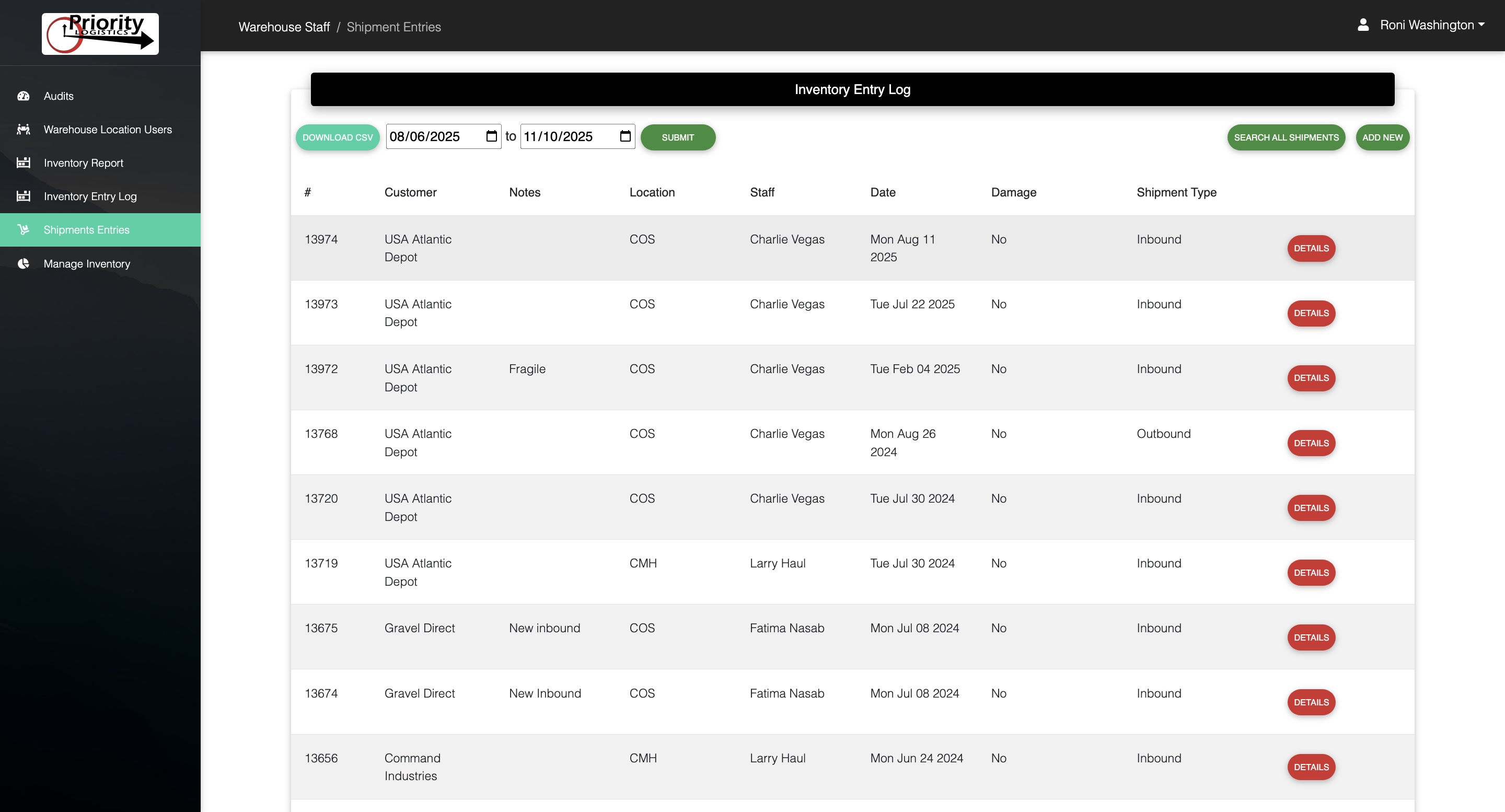
Step 2: Record your Shipment

After scanning the item, the mobile app guides users through recording the shipment details so everything is documented in one place.

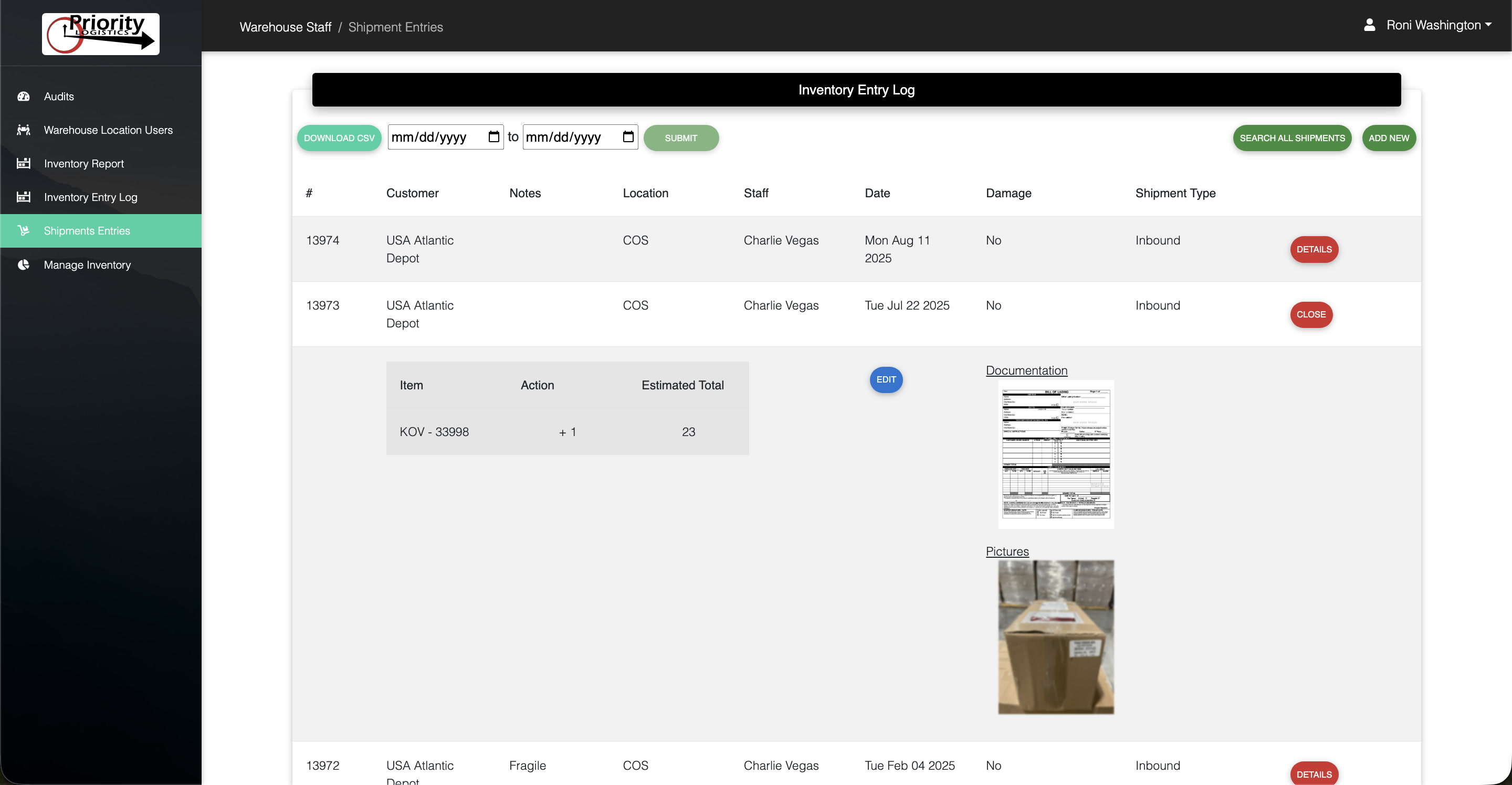
Capture Complete Shipment Details

Shipment Documentation: Upload photos of bills of lading, packing slips, or delivery paperwork.

Damage Reporting: Flag items as damaged and attach photos for immediate documentation.

Notes & Comments: Add context or instructions for managers or other staff.

Automatic Activity Logging: Every submission becomes part of the permanent inventory history.

Simple Interface: Designed for fast use by warehouse teams with minimal training.

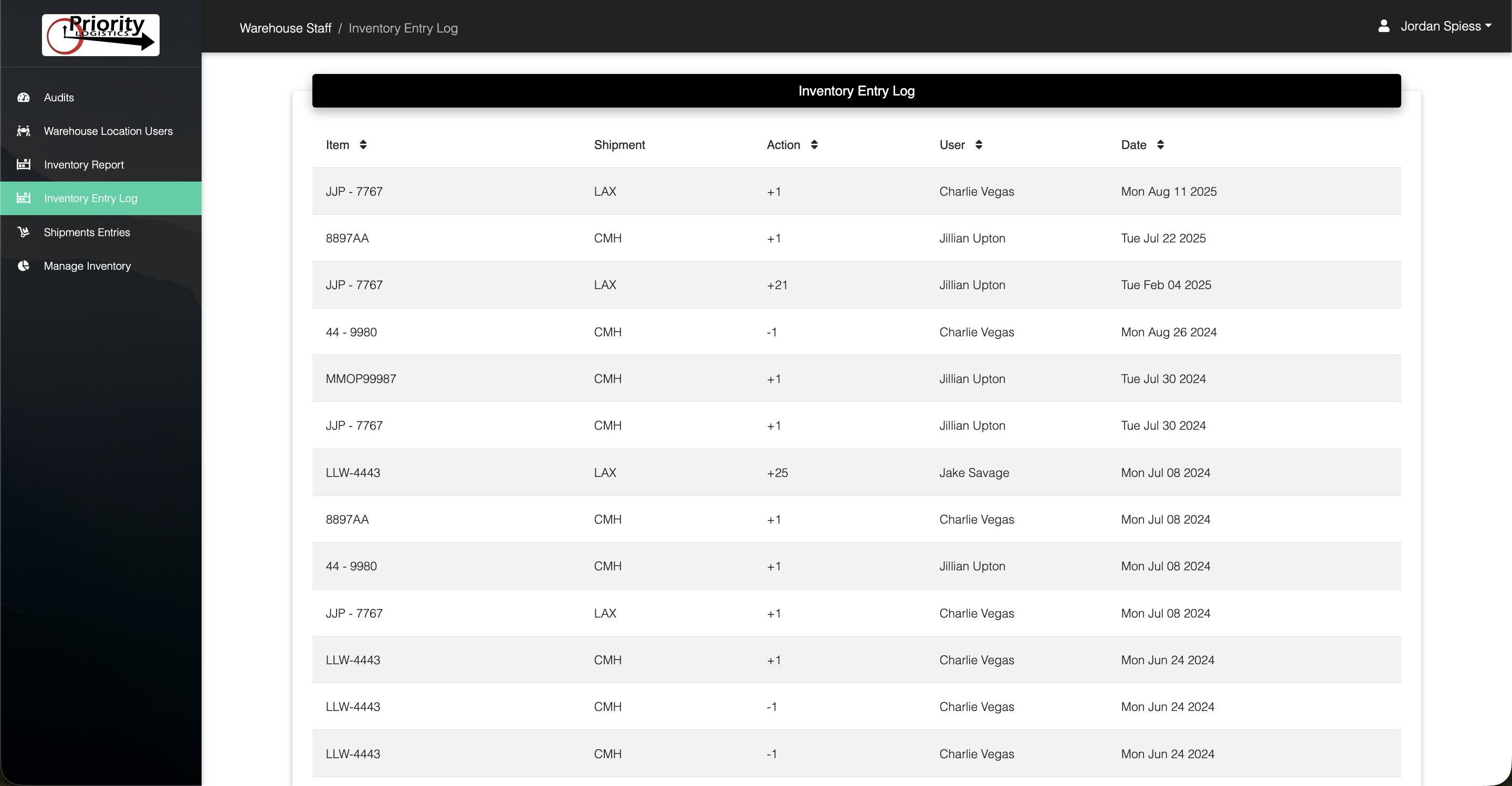
Inventory Log

View every action taken in the system through a detailed activity log.

Highlights

Full Activity Timeline: See when products were scanned, moved, or shipped.

User Tracking: Know exactly which team member recorded each event.

Image & Document Access: Open shipment photos and files directly from the log.

Audit-Friendly Records: Maintain a verifiable history of inventory movement.

Search & Filter: Quickly locate shipments, products, or dates.

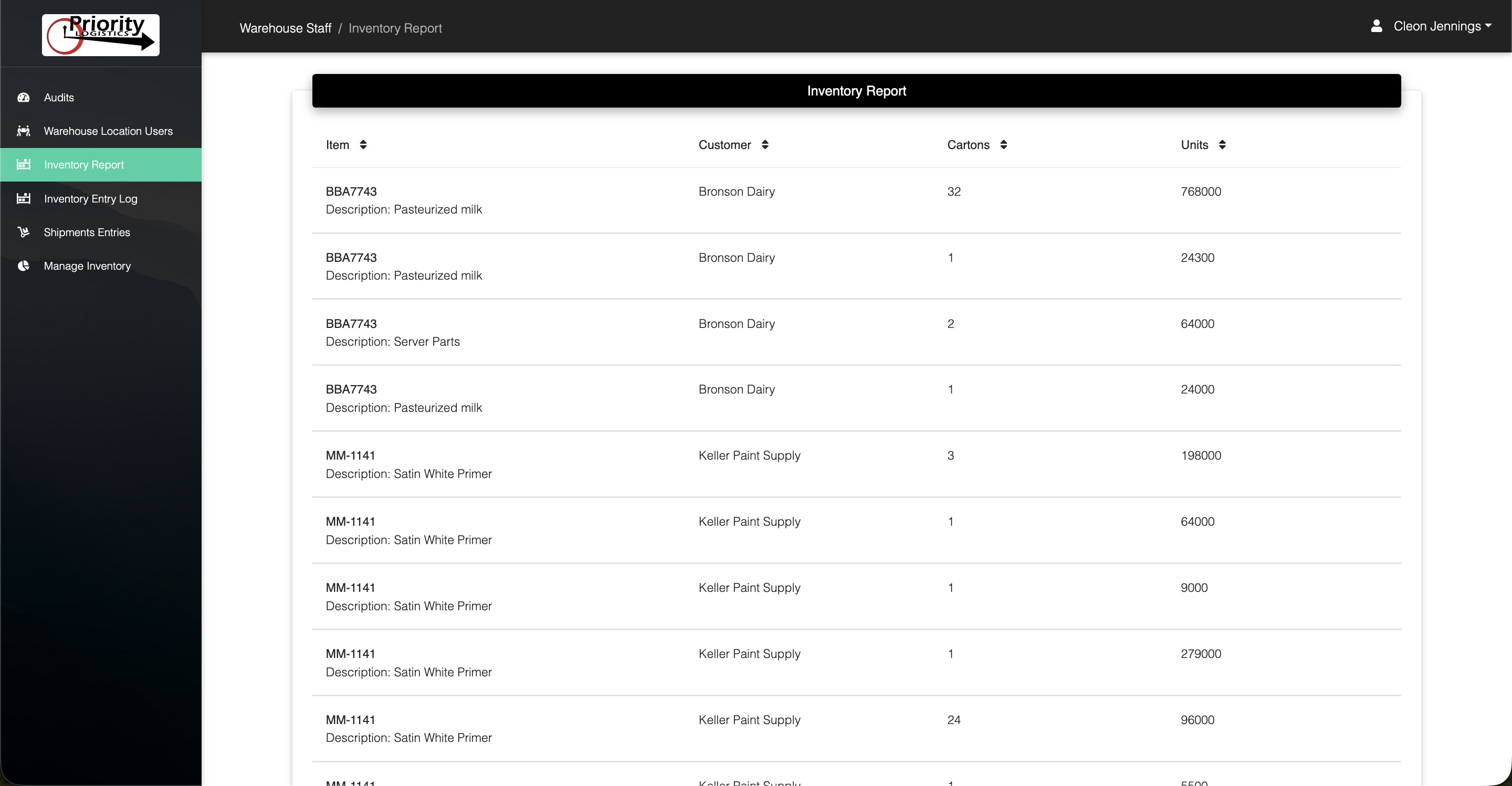
Location Reports

Maintain a bird's-eye view of all products currently in inventory and where they are located.

Core Features

Inventory Visibility: See what items are currently stored at each location.

Accurate Counts: Quickly determine available quantities.

Operational Reporting: Generate reports for management and operations teams.

Shipment History: Understand where products came from and where they went.

Exportable Data: Easily share reports with partners or internal teams.

Why Choose PLIICS?

PLIICS was built specifically for logistics operations that need a reliable way to document and track product movement without complex enterprise software.

By combining barcode scanning, mobile documentation, and detailed reporting, the system provides clear accountability for every shipment handled by your team.

Get Started with PLIICS

If you're looking for a straightforward inventory control solution that integrates with real warehouse workflows, PLIICS can be deployed quickly with minimal training.

Talk to an Expert